Products
Three products. One engine.
Everything NerfedLab makes starts from the same idea: a sentence should be enough. The studio brings it to developers on a Mac. Zocri brings it to anyone with a business and a browser. Tertin brings it to the next presentation you have to give.
For macOS · free
NerfedLab the studio
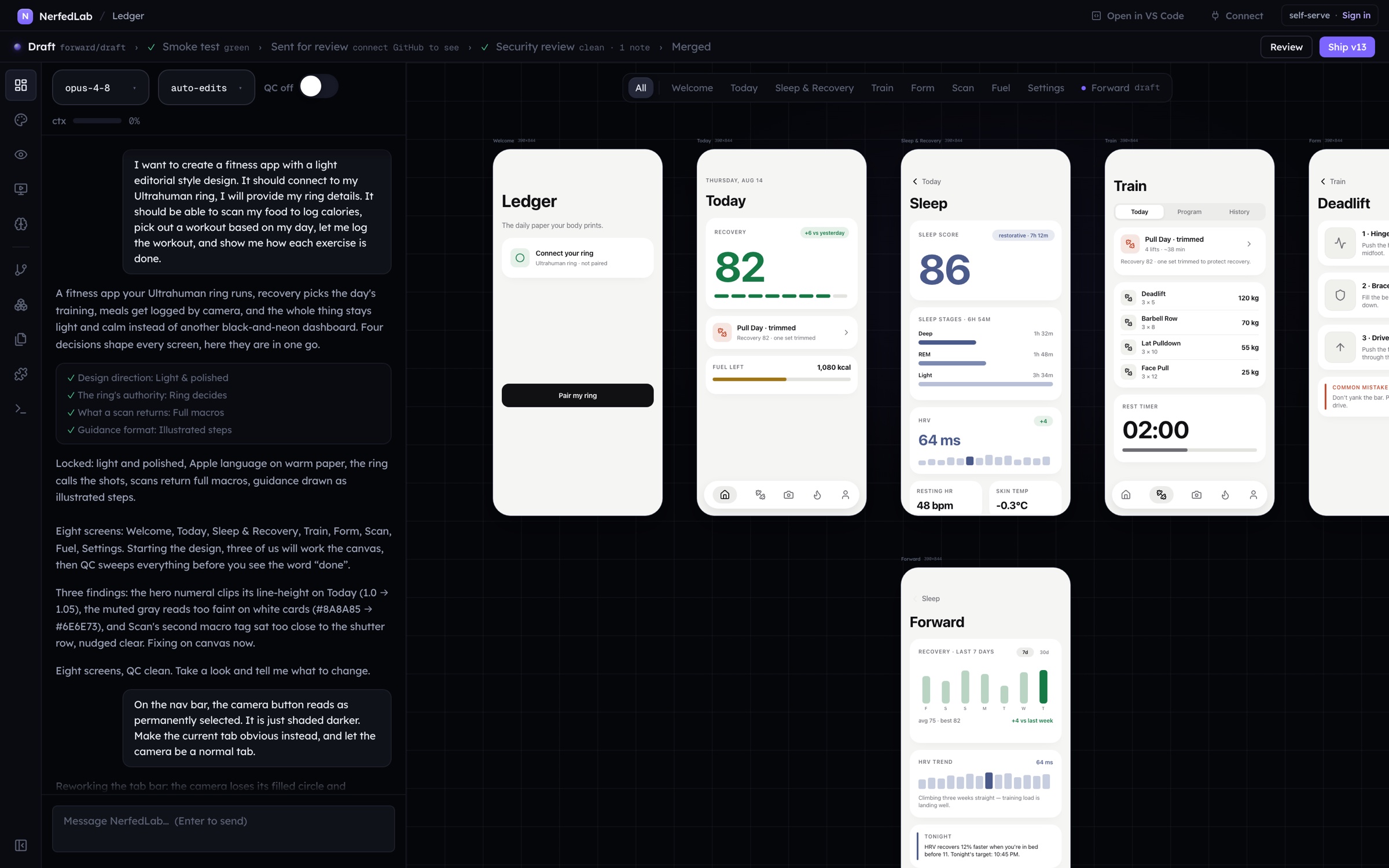
The AI design to deploy studio. Describe a product, watch the screens draw themselves, press Start, and run the real app on your own machine, on the subscription you already pay for.
A desktop app for people who want the whole loop in one place: a design canvas with layers and properties, a chat with an agent that works in the project’s own folder, an app runner with a phone preview and an Android package, a real git repository under every workspace, and the release ladder of a serious product (drafts, a smoke test, the pull request as the review, versions, staged rollouts). It is also an MCP server, so your own editor and agents can drive every one of those verbs. For a company, NerfedLab sets the whole thing up: the subscriptions you choose, sign in through your SSO, and your products, repositories, reviewers and sensitive paths mapped out before the first draft.
In the browser · free to start
Zocri zocri.com
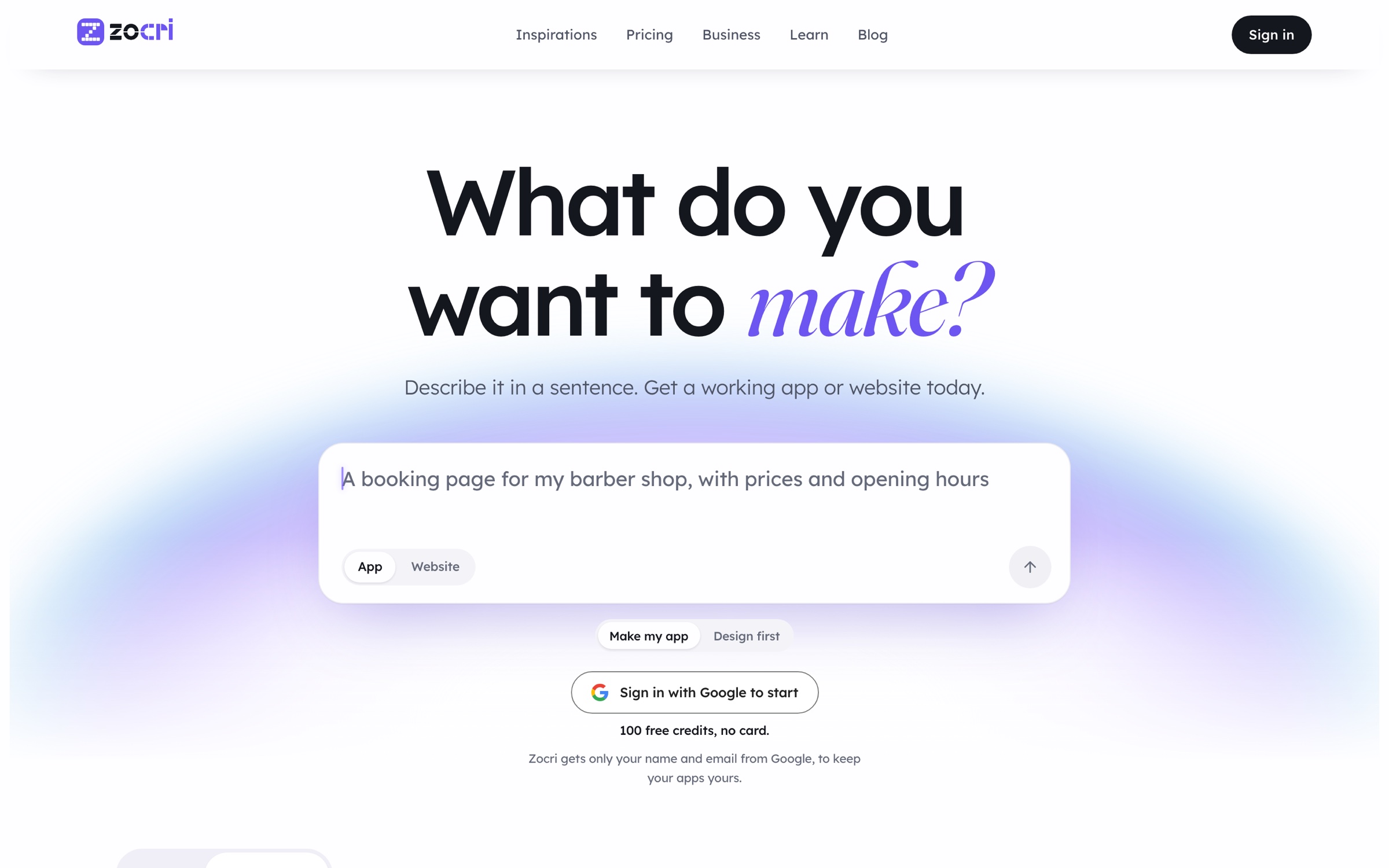
Your app, one sentence away. Describe it the way you would text a friend, and get a working app or website on a link today, with the business behind it: bookings, orders, customers, messages, campaigns, insights.
Zocri is the same engine as the studio, moved into the browser and run on our machines instead of yours. A maker types one sentence; Zocri asks a few questions, draws the screens, plans, and makes a working app in a machine of its own. Nothing to install, nothing to configure. A salon gets a booking page, a cafe gets online orders, a founder gets a customer portal, an operations team gets the tracker nobody had time to build.

Say it, see it, share it
Three steps, no technical words anywhere.
Say it
Type what you need, the way you would text a friend. Zocri reads the brief back, asks the few things it needs on one card, and names the project from your words. Pick App or Website up front: a website is made directly, a page you can open when the turn ends; an app is designed first, screen by screen, then built.
See it
Watch your idea take shape. The screens draw themselves while you watch, and Adjust lets you move, resize and retype anything on a computer’s width, the way a designer would, before a line of code exists. Change anything you like by saying so; every step shows its cost in credits before it runs, and Stop is always one click away.
Share it
Go live on your own link. Every project gets an address of its own, and a published app lives at a name you choose on zocri.app or on a domain you already own. Put it on your social profile, print the QR code, hand it to customers. They can use it today.
Inspirations
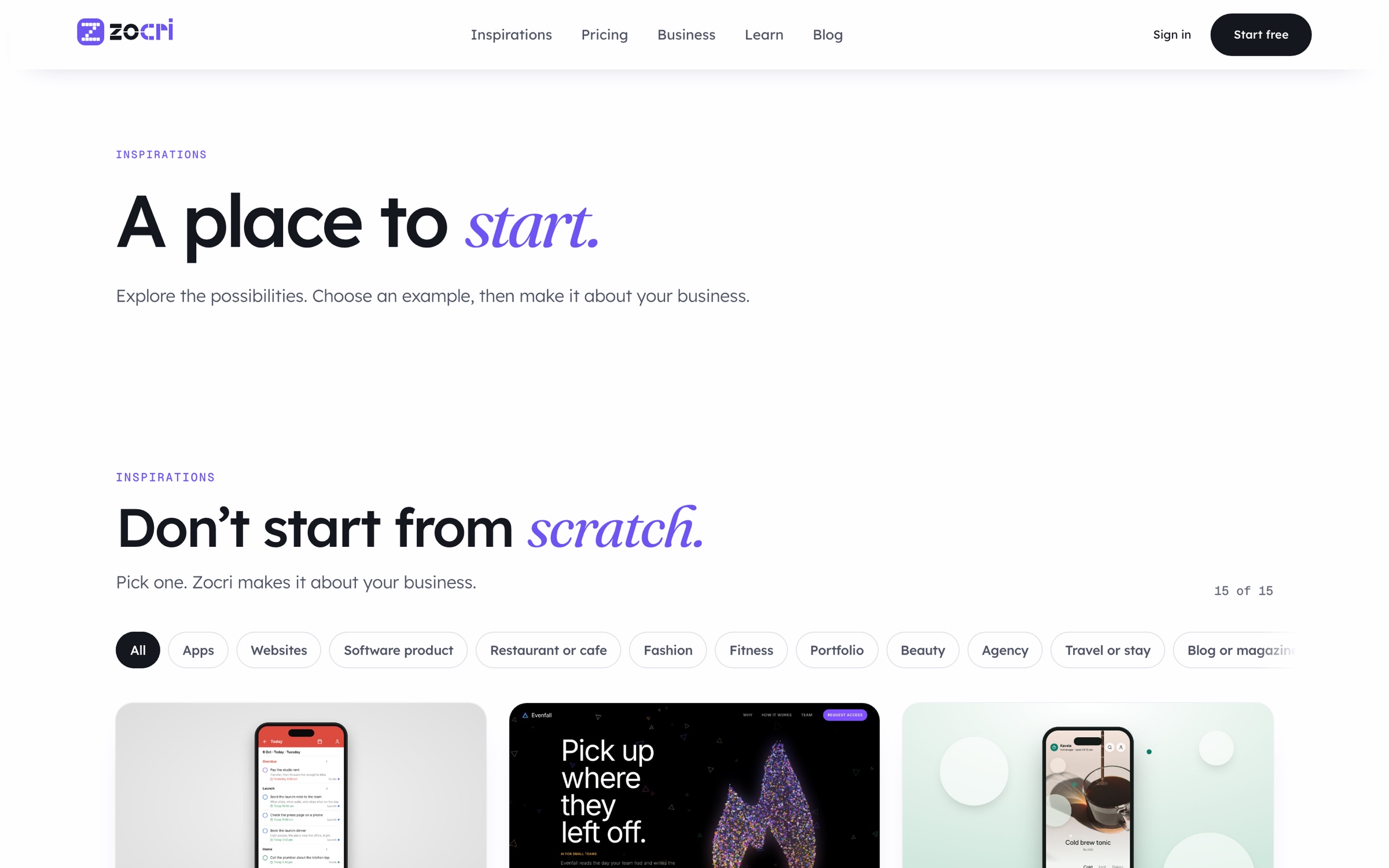
Do not start from scratch.
A catalog of whole websites and apps, each sorted out down to the last page: a store has its shop, product, cart, checkout, about and contact pages beside the 404, the thank you, privacy and terms. Pick one and Zocri makes it about your business. Fifteen so far, from a cafe that orders ahead to a law practice, a run club, an inn with four rooms, a gallery, a fashion shop in black and white, a planner, a fitness app and a skincare brand told on liquid glass. Each was designed against a real brand site of its kind, never a template.
Run the business
Manage: everything your app knows, in one place.
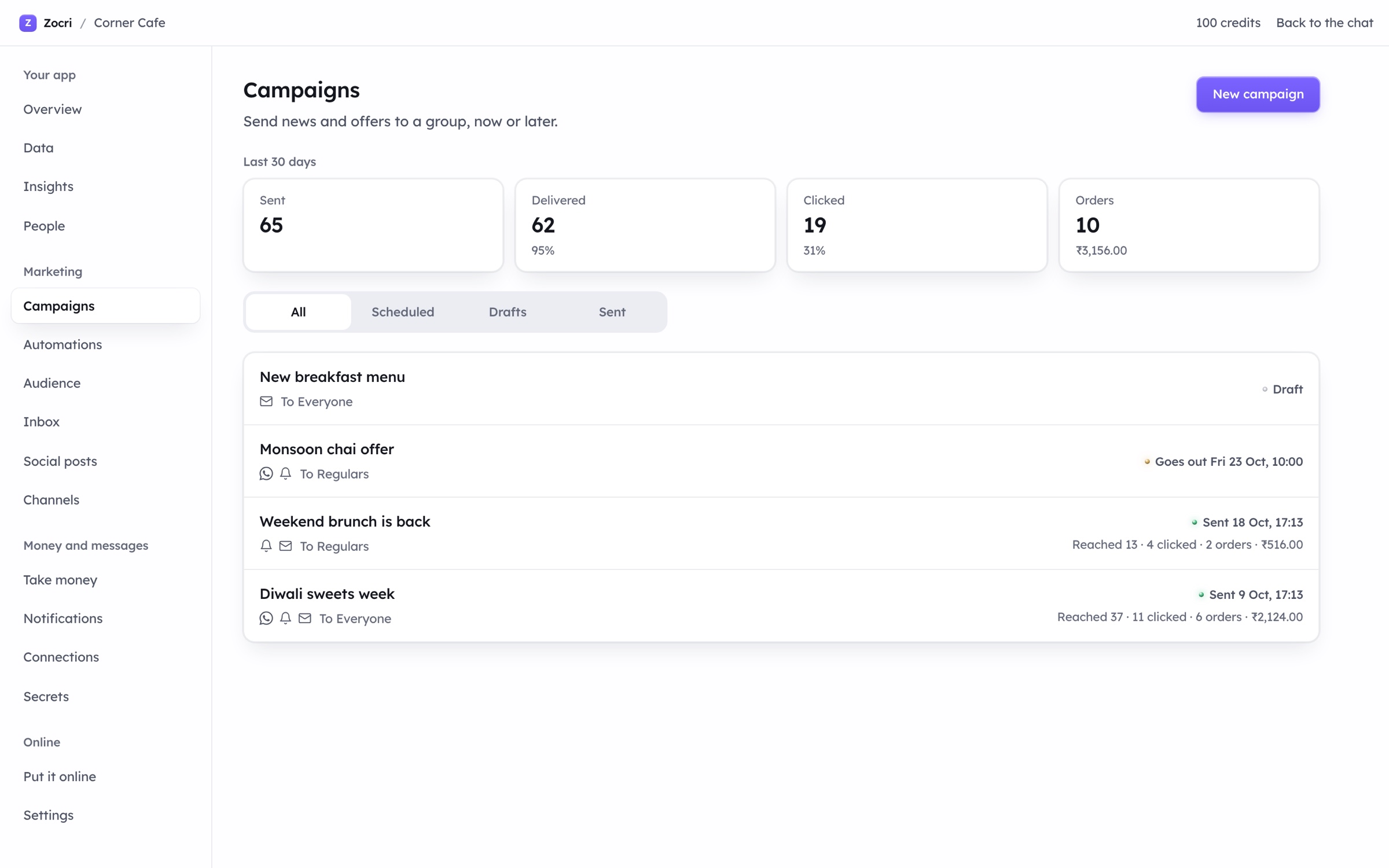
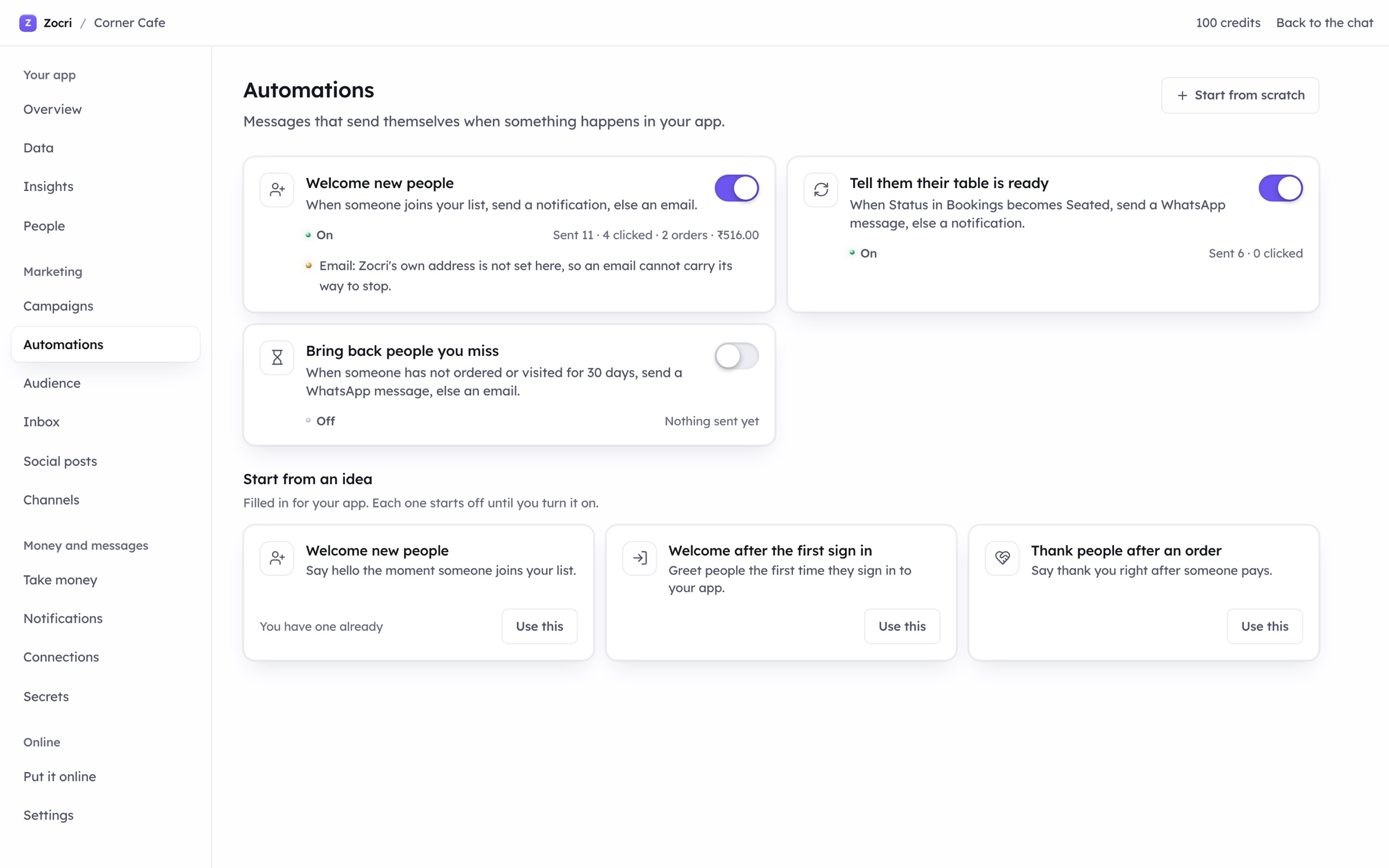
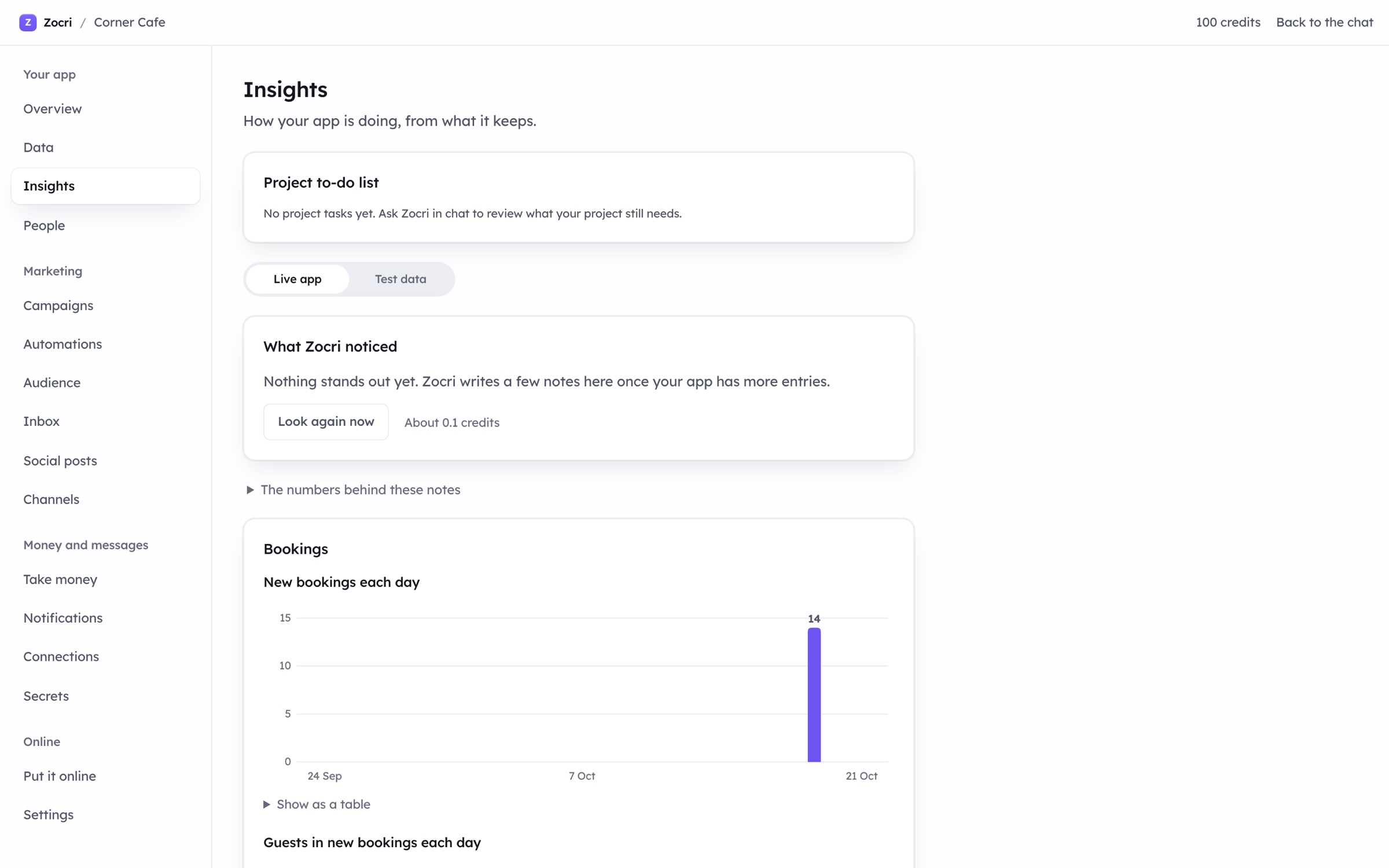
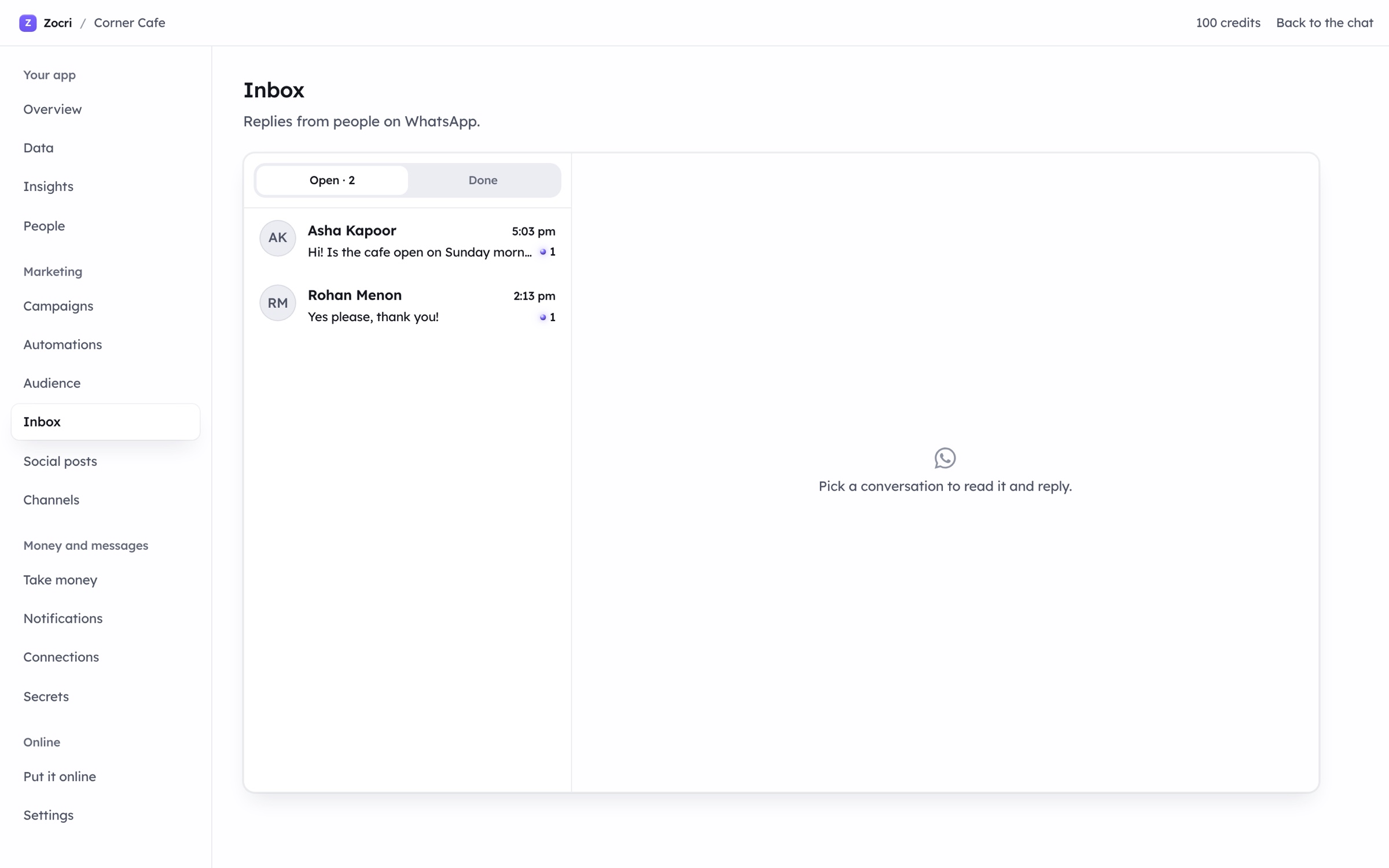
Making the app is the first ten minutes. Zocri’s Manage is where the business runs: the records your app collects, with history and an Undo, behind four access presets you pick in a sentence; a data bot you tell what to change; insight cards written daily from what actually happened; sign in for the people who use your app (Google, a code by text, a code by email); payments straight into your own Razorpay or Stripe account; and the Marketing group that reaches the people your app knows.
Data, with history
- Every table your app writes, with each change recorded and an Undo
- Four access presets: private, signed in, anyone can add, anyone can read
- A data bot: “move Friday’s bookings to Saturday” and it does
- A human check on anything the public can add to
Sign in, money, notifications
- Google, a code by text or a code by email for the people who use your app
- Payments into your own Razorpay or Stripe account, never through ours
- Push notifications, emails from your own sender, business texts and WhatsApp
- Secrets kept apart from the app’s code; keys never enter a page
Consent is the rule
- A marketing message goes only to a yes on that channel, within a weekly limit and outside quiet hours
- Every message carries its way to stop, and a stop is kept at once
- Signing in or ordering is never treated as a yes
- Your own providers send free; Zocri’s managed channels are metered in credits
Zocri for Business
Anyone on your team can ship to your real product.
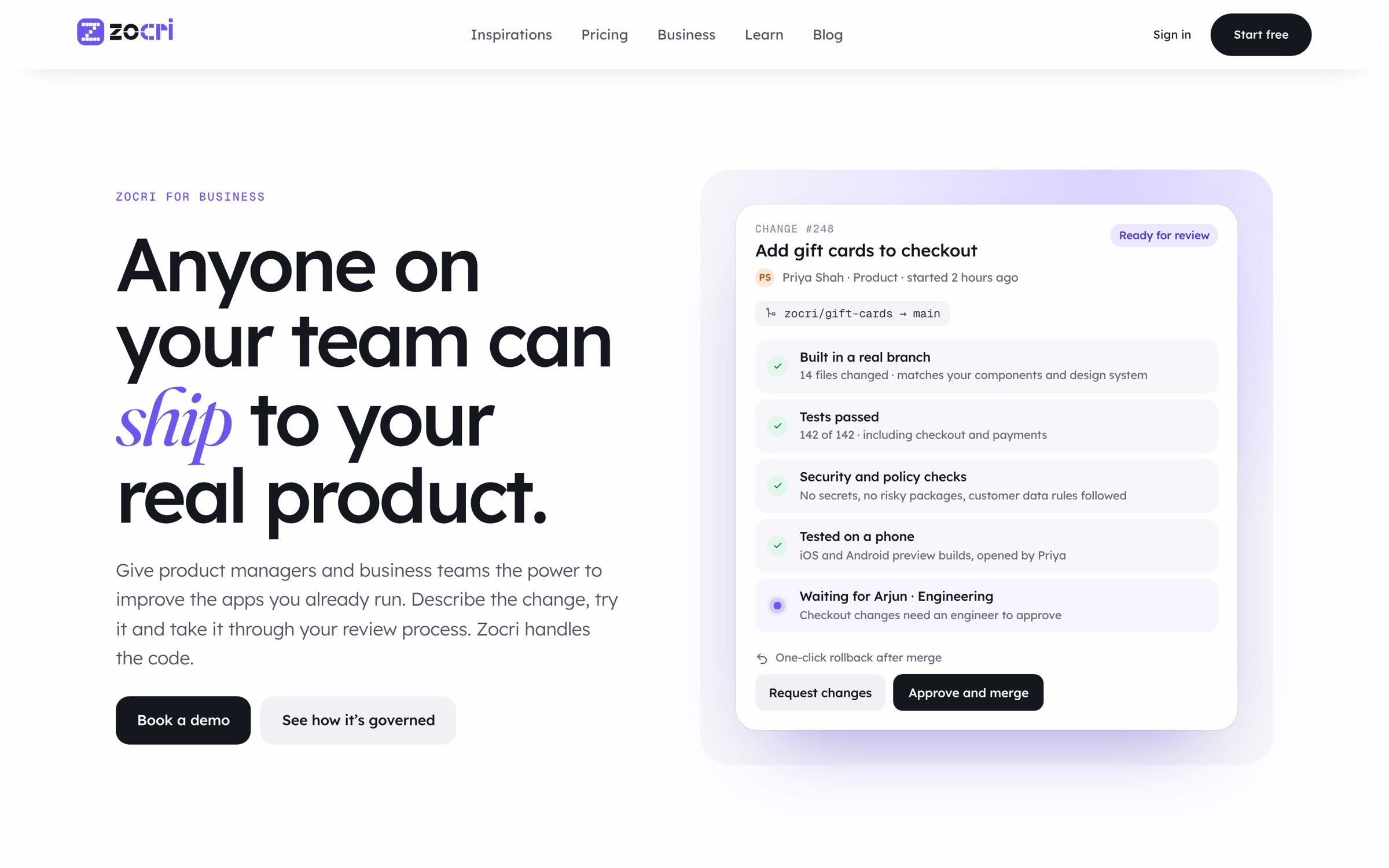
Most teams have to choose: a prototype tool that is fast but only ever a demo, or an engineering queue that is complete but slow. Zocri for Business is the loop between them. A product manager describes a change in plain language, or drops in a screenshot or a design. Zocri builds it on a real branch of your real repository. The team tries it on a phone, from a preview for iOS, Android and the web. Review gates decide who must approve, by area and by risk, after the tests and the security checks have run. Merge rolls it out gradually, with a one click rollback.
The policies, applied to every change
- Payments and checkout need two engineers
- Packages with known vulnerabilities are blocked
- Customer data never reaches an AI model
- Copy only changes merge after one review
- Anyone can start a change; you decide who
- The audit log is kept for a year; your code never trains a model; SSO and permissions as you have them
No engineers? Zocri’s own engineers review and merge, with a daily turnaround and a monthly health report. Have engineers? Product managers build and try in your own app; your engineers review it like any other pull request. Connecting a repository takes a day.
Pricing
Start free. Grow when ready.
Credits are the one currency: each step of making, every managed message, every sign in code and every “write it for me” draws from a single balance, and the price of a step is shown before it runs. Top up credits never expire. Plans are monthly or yearly, with twenty percent off the year, and you can cancel any time. Prices in Indian rupees; cards from anywhere.
Free
₹0 no card
- 100 credits each month
- Helium and Flash models
- A Zocri address, online for 30 days
Plus
₹1,200 a month, or ₹14,400 a year
- 2,000 credits each month, rolling over up to 4,000
- Every frontier model
- Your own domain, your own email sender
- Marketing and data tools, analytics, app store publishing
Pro
₹12,000 a month, or ₹144,000 a year
- 20,000 credits each month, rolling over up to 40,000
- Everything in Plus
- Technical support, code review, deployment and security review
Top ups: 20,000 credits for ₹15,000, 50,000 for ₹37,500, 100,000 for ₹60,000, 200,000 for ₹90,000. See zocri.com/pricing for the current list.
Who it is for
One person
A booking page for the salon, online orders for the cafe, a schedule for the studio, a portfolio that looks like it cost money. Describe it, try it, share the link. The business tools are there the day you need them.
A growing business
Customers, orders and bookings connected to the app; campaigns and automations that reach them with their consent; payments into your own account; a place to see what is happening and what to try next.
A product team
Founders building a customer portal, operations teams building internal tools, sales teams building a lead dashboard, marketing teams building a campaign site, product teams building the feedback app. And with Zocri for Business, the people who know the product shipping governed changes to it.
In the browser · 250 credits to start
Tertin tertin.com
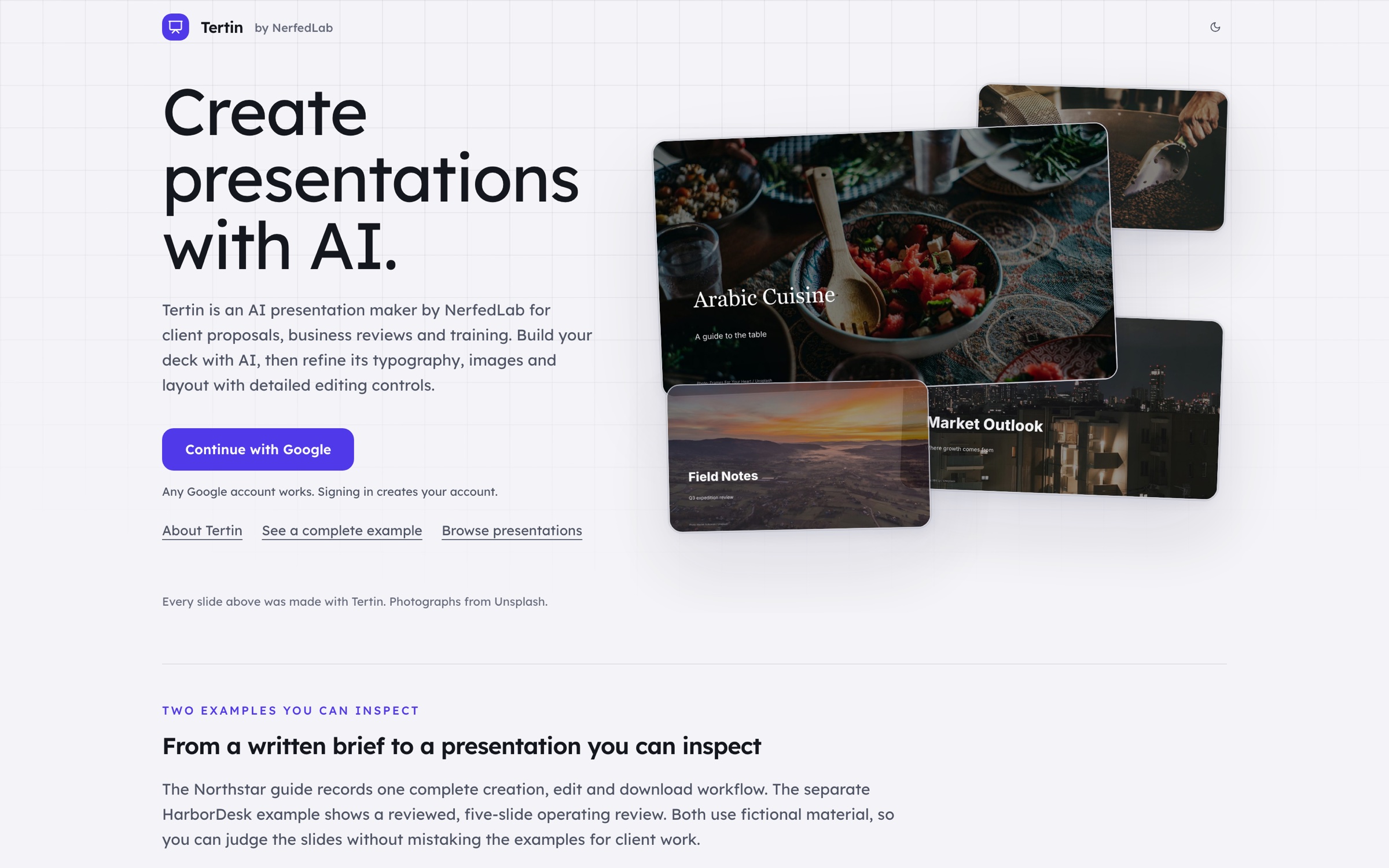
Create presentations with AI. For client proposals, business reviews, operating reviews and training. Start with a draft, then shape the story and the design with direct editing on the canvas.
Tertin is NerfedLab’s presentation maker. You describe the subject and what the deck has to achieve; Tertin asks the follow up questions a good designer would, writes a first version of every slide, and then gets out of the way. Every slide is a real editable page: pick any element from the layer tree, change its type, size, weight and color, move it, swap the image, or edit the slide’s own source. When it is right, export it as a PowerPoint file, a PDF or a web page.
From a brief to a finished deck
Five steps, and you are in control of every one.
1. Describe
Explain the subject, the audience and what the presentation has to make happen. Facts you give are the only facts it uses.
2. Clarify
Tertin asks the follow up questions that change the outcome: the slide count, the tone, the look, what to leave out.
3. Generate
A first version of the whole deck: titles, body copy, charts, tables, images and shapes, laid out in one consistent style.
4. Edit
Refine in conversation (“make slide three a timeline”), or switch to manual mode and edit by hand: typography, layout, colors and images, the layer tree to select any element, and the HTML of the slide itself when you want to go further. Speaker notes ride along for presenter view.
5. Export
Download the deck as PowerPoint (.pptx), PDF or a web page (.html), open it and check it before you share it. The PowerPoint keeps editable text and shapes, so a colleague can carry on in the tool they already use.
A complete example, with the exact brief
Northstar Workshop, four slides.
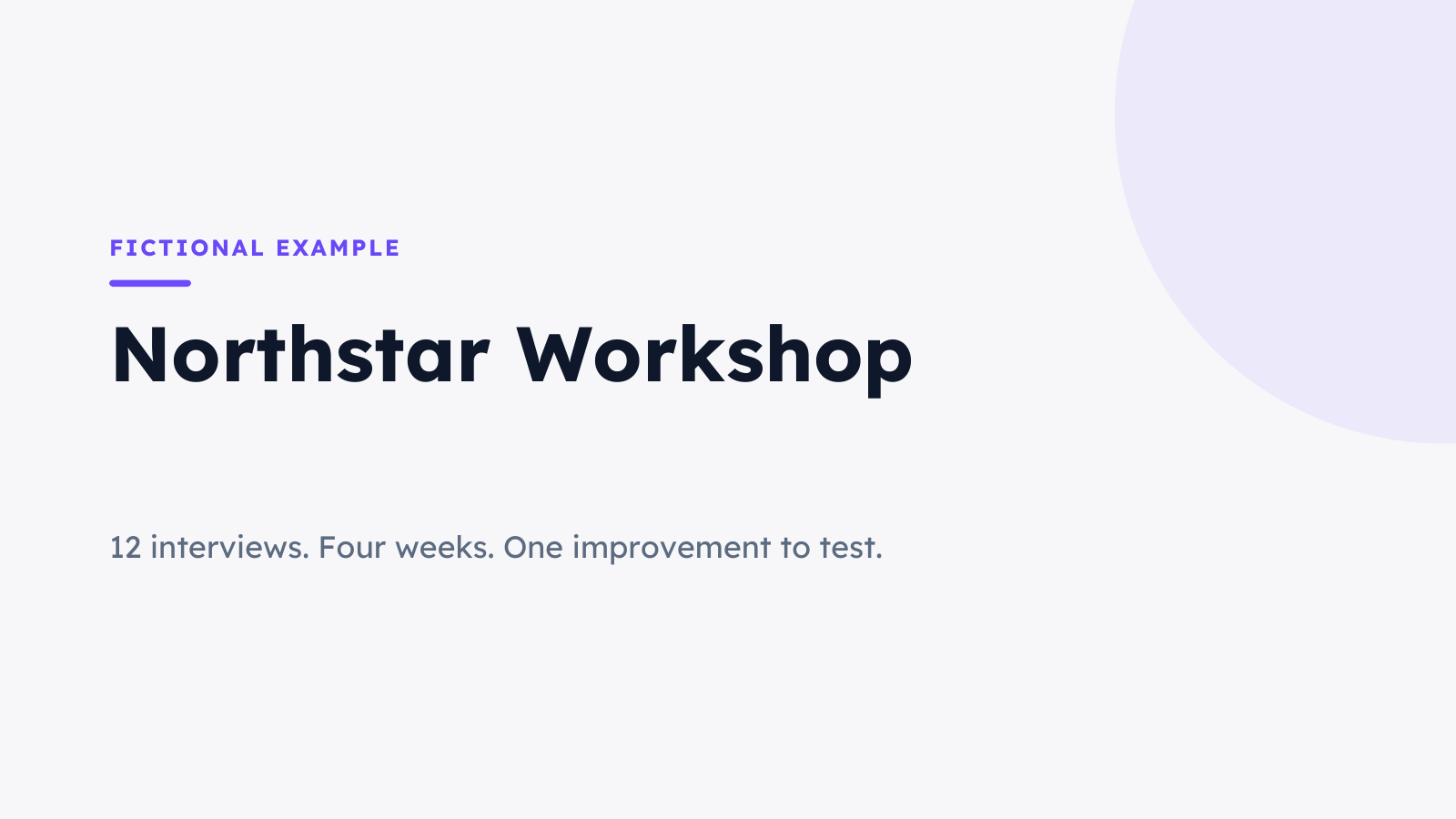
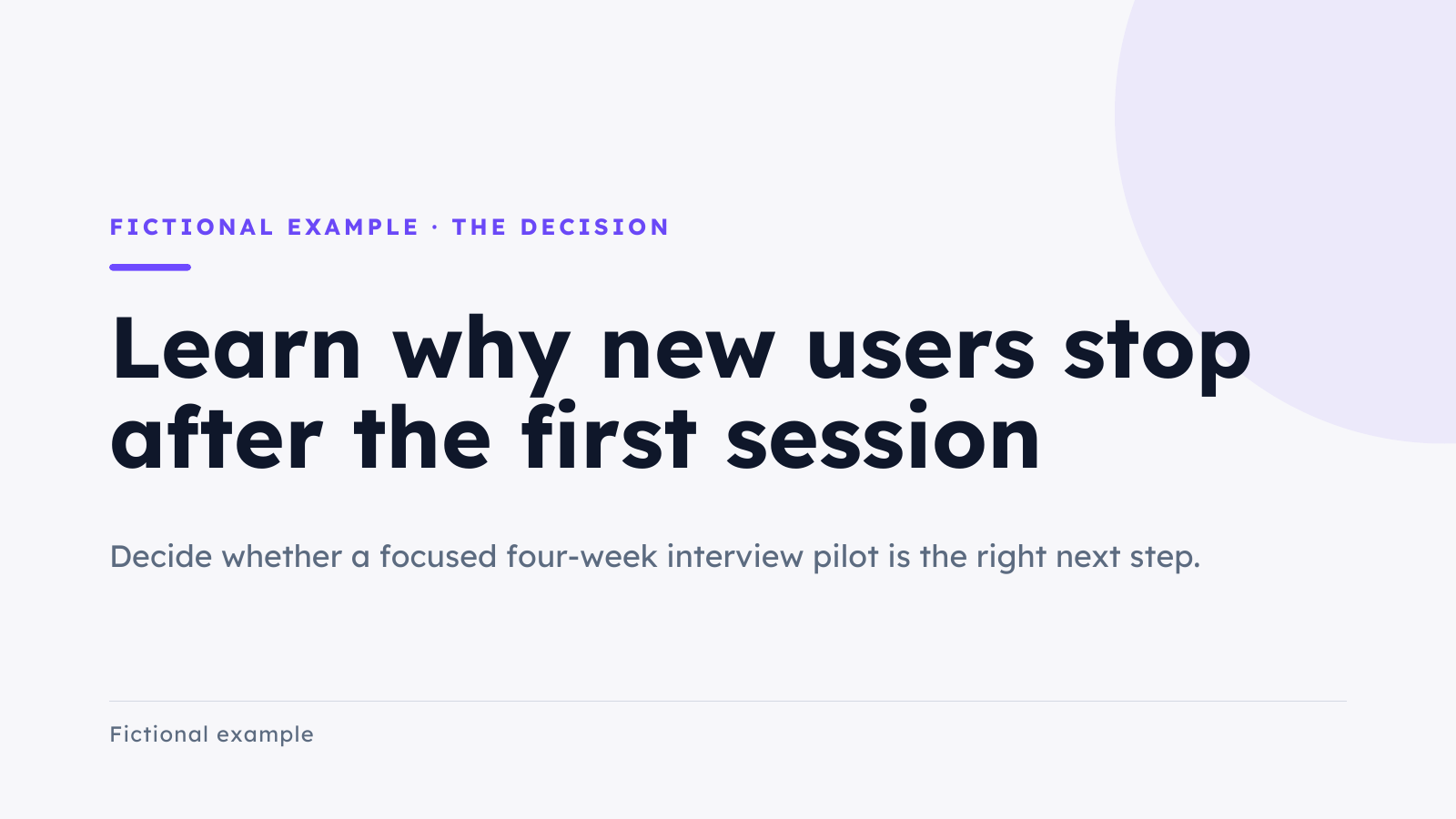
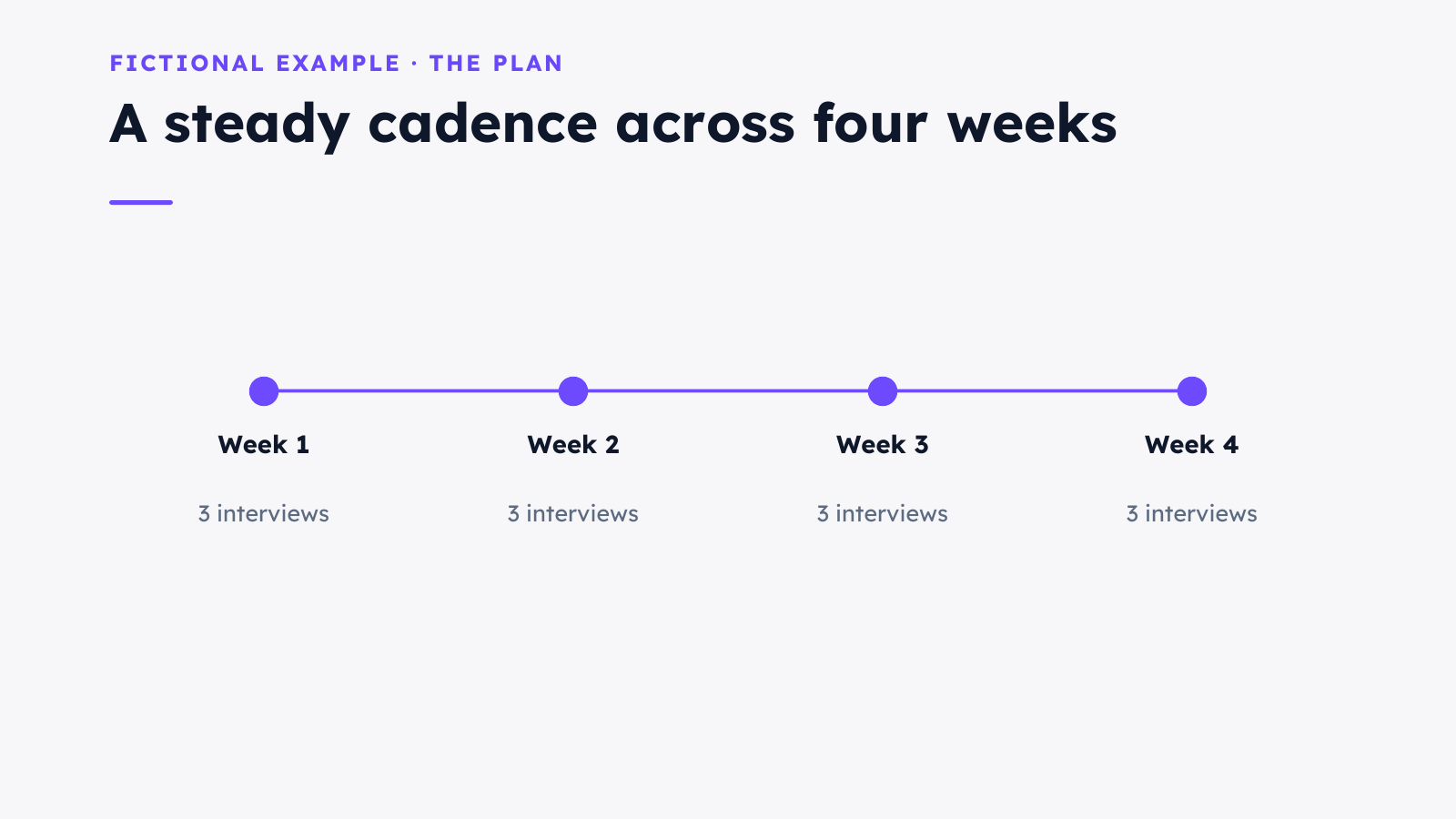
The guide on tertin.com records one whole creation, edit and download, with nothing hidden: the brief below went in, a four slide draft came out, the subtitle was changed by hand in manual mode, a footer was added, and the PowerPoint and PDF were downloaded and checked. It uses fictional material on purpose, so you can judge the slides without mistaking them for client work.
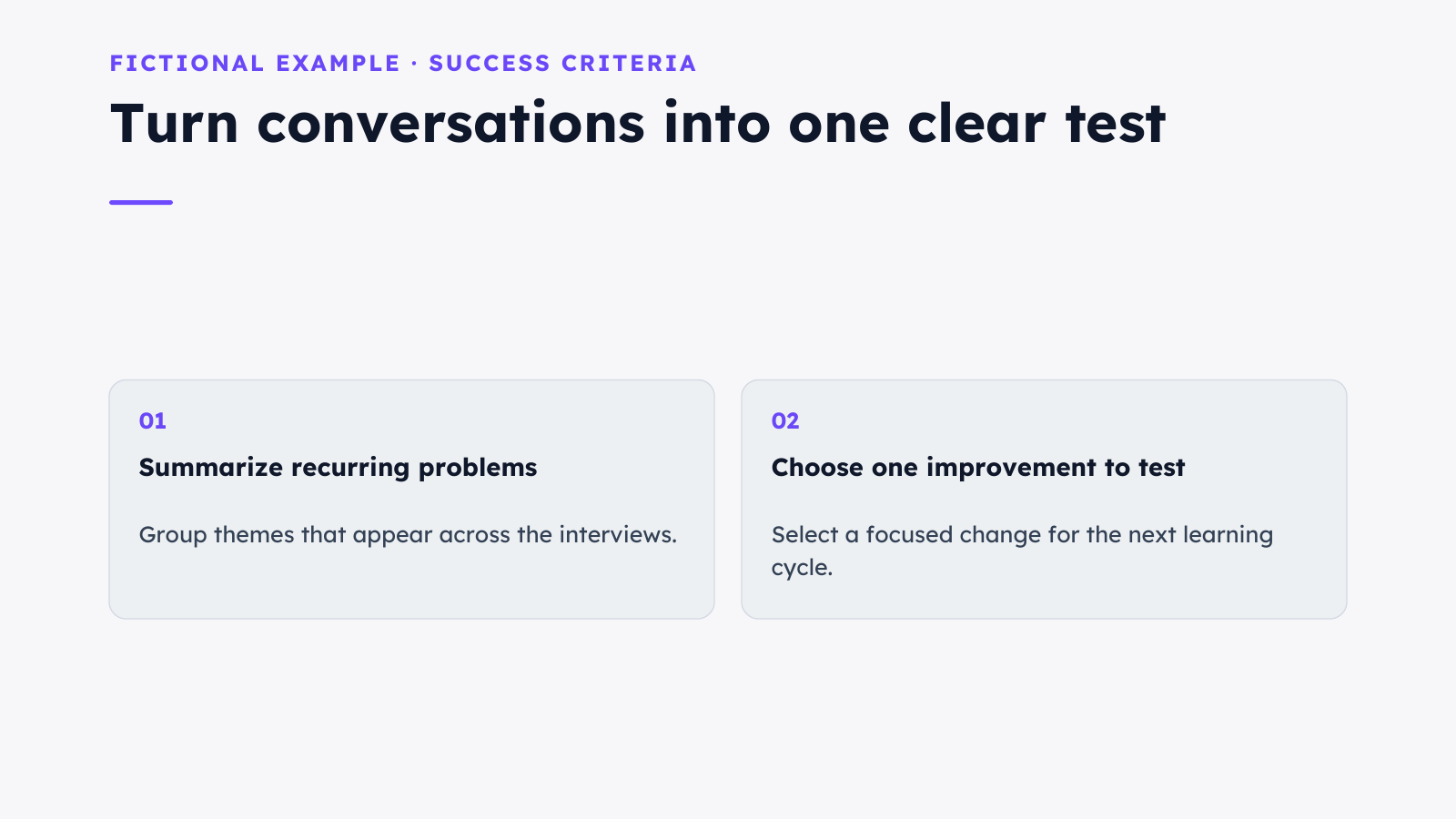
Create a 4-slide PowerPoint presentation for a fictional project called Northstar Workshop. Audience: a small team deciding whether to run a four-week customer interview pilot. Use only these illustrative facts: 12 interviews planned, 3 interviews per week, 4 weeks, no claimed results yet. Slides: 1. Northstar Workshop with subtitle A four-week customer interview pilot; 2. The decision: learn why new users stop after the first session; 3. The plan: weeks 1 to 4 with 3 interviews each week; 4. Success criteria: summarize recurring problems and choose one improvement to test. Use clean white backgrounds, dark navy text and violet accents, with editable text and shapes, no stock photographs. Label it Fictional example. Do not use em dashes. Generate it now.
Your presentation, down to the details
Control the visual details
- Typography: face, size, weight, color
- Layout, colors and images on every slide
- Layers to select any element and refine it
- Charts, tables, text, images and shapes
Edit the slides directly
- Every slide is HTML you can open and change
- Controls for the selected element, or its source
- Speaker notes for presenter view
- Sources listed for what the AI wrote
Reuse your own visual style
- Save a design system and slide masters in your browser
- Start the next deck in the same look
- Any Google account works; signing in creates your account
- 250 credits on a new account; no paid plan yet
About NerfedLab
A sentence should be enough.
NerfedLab is a small company that builds tools for turning a description into working software, and then for running what you made. The studio came first: a desktop app that puts an agent, a design canvas, an app runner and a release ladder in one window, on your own machine and your own subscription. Zocri took the same engine to the browser for people who run a business rather than write code. Tertin took it to presentations.
The three share one set of beliefs. Design comes first, always: a new feature is drawn before it is built. Nothing is built until you say so. Every rule the product enforces is derived from something real (a branch, a tag, a verdict, a pull request), never narrated. Copy promises only what runs. And what you make is yours: your files, your repository, your customers, your account with the payment provider.
NerfedLab was founded by Rishabh Srivastava, who spent four and a half years shipping AI products at Eternal, where even a small product change meant waiting in line behind overloaded engineering. He built NerfedLab to get around that wall for himself, then realised every company has the same one. The product is built and self funded; the company is raising a seed round to turn it into a business.
Write to hello@nerfedlab.com. Companies can request a demo, investors have a corner of their own. Releases and downloads live on GitHub.